Free pickup from ACS lockers or store

Free delivery for orders over €85 per shop


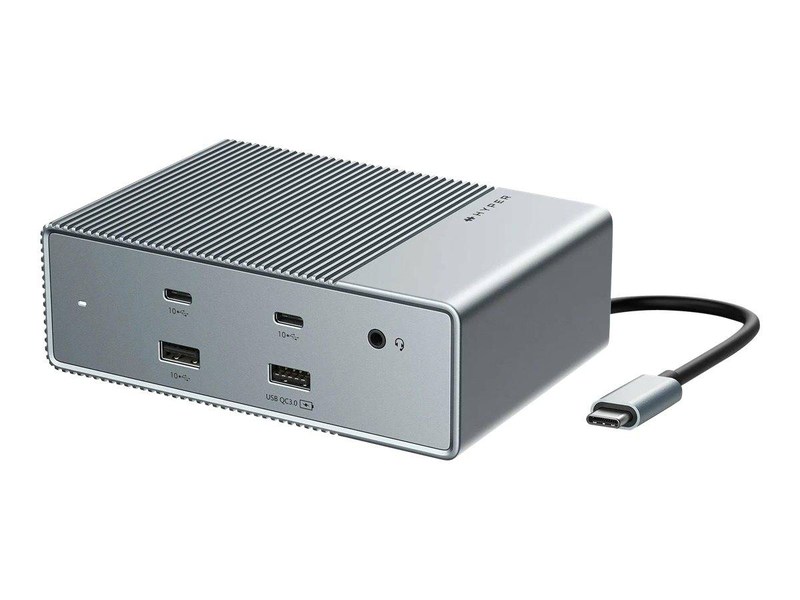
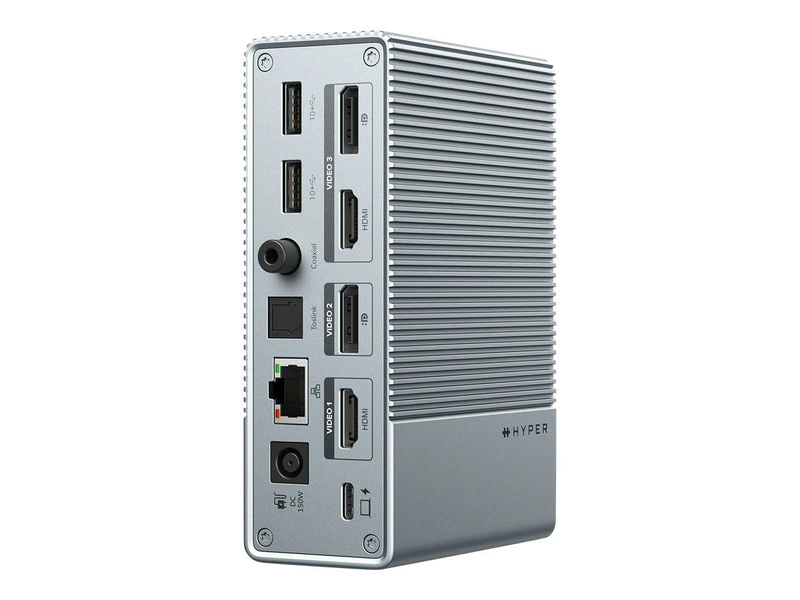
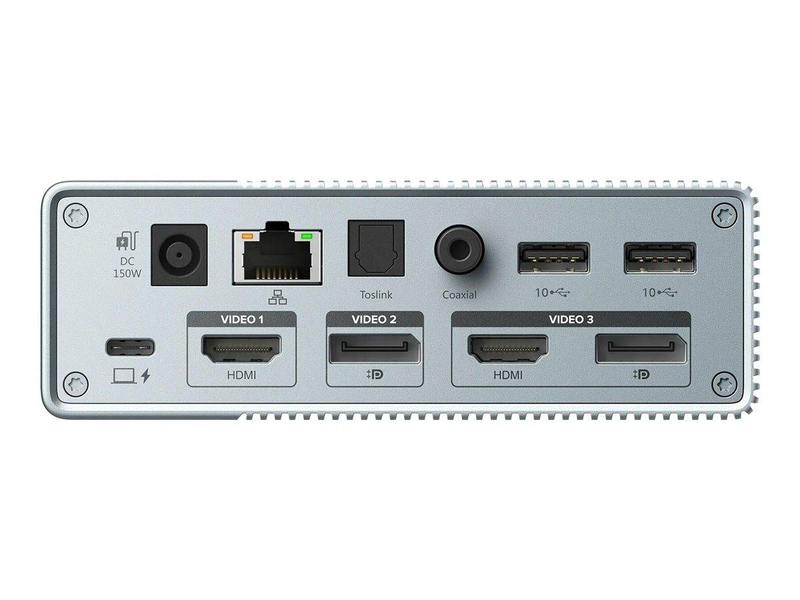
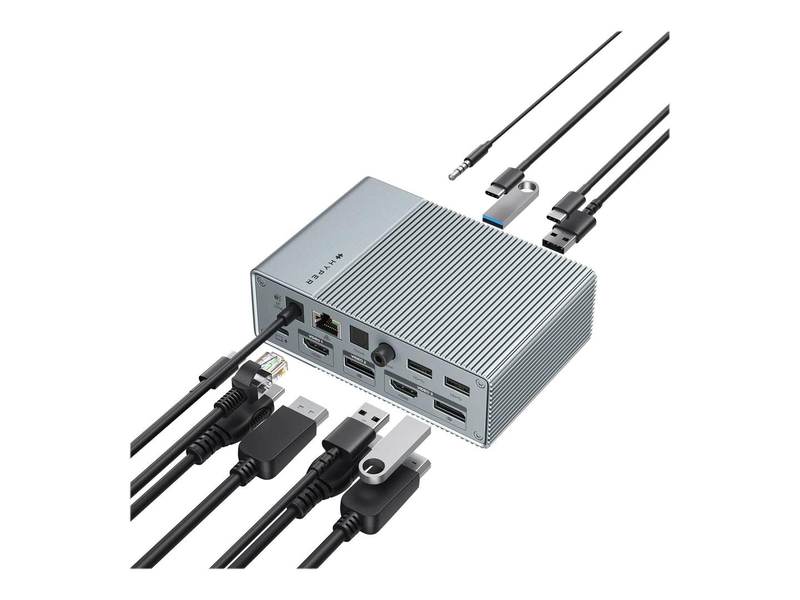
The HyperDrive Gen2 15-in-1 USB-C Docking Station (HDG215-EU) is a feature-packed USB-C dock that turns a single port into a full desktop: dual 4K displays, seven USB ports, Gigabit Ethernet and an unusually rich audio section with 3.5mm, optical and coaxial ouTPUts. It charges the laptop with up to 100W and connects over USB-C DisplayPort Alt Mode, so no extra graphics drivers are needed.
With two HDMI and two DisplayPort ouTPUts (interchangeable), it drives two 4K monitors at 60Hz — and up to three extended displays on Windows via MST. It is a strong choice for a Windows or Chromebook desk that needs plenty of ports without stepping up to Thunderbolt.
| Part Number / MPN | HDG215-EU |
| EAN / GTIN | 6941921148393 |
| Brand | HyperDrive (Hyper / Targus) |
| Category | 15-in-1 USB-C Docking Station |
| Host Connection | USB-C with DisplayPort Alt Mode (DP 1.4) — MST for multi-display |
| Power Delivery to Laptop | Up to 100W USB-C Power Delivery |
| Included Power Adapter | 150W DC adapter |
| Video OuTPUts | 2x HDMI 2.0 + 2x DisplayPort 1.4 (interchangeable), 4K @ 60Hz |
| Multi-Monitor — Windows | Up to 3 extended displays via MST (dual 4K@60, or triple with mixed resolutions) |
| Multi-Monitor — macOS | Single extended display; additional ouTPUts mirror only (macOS does not support MST extend) |
| USB Ports | 4x USB-A 3.2 (10GBps) + 1x USB-A with 18W QC 3.0 + 2x USB-C 3.2 (10GBps) |
| Networking | Gigabit Ethernet (RJ-45) |
| Audio | 3.5mm combo (96kHz/24-bit) + Optical Toslink + Digital Coaxial |
| Dimensions / Weight | 132.1 × 88.9 × 43.9 mm · 575.5g |
| Colour | Space Grey |
| Warranty | 1-Year Warranty (Singular) |
The Gen2 is a high-connectivity USB-C dock that shines on Windows: MST enables a true triple-display setup, the USB provision is Generous, and the optical/coaxial audio ouTPUts are unusual at this level. The one caveat to flag is macOS: because Apple does not support MST extended mode, a Mac connected here gets one extended display with the other ouTPUts mirroring. Mac users who need multiple extended screens should choose a DisplayLink or Thunderbolt dock instead. For Windows and ChromeOS multi-monitor desks, however, the HDG215 is excellent value.
It fits in our docking stations range for port-heavy Windows setups, and the Gigabit port pairs well with a wired-network upgrade using faster network cards. Choose this USB-C dock when you want lots of ports and dual/triple Windows displays without paying for Thunderbolt.