🔥Selling fast!

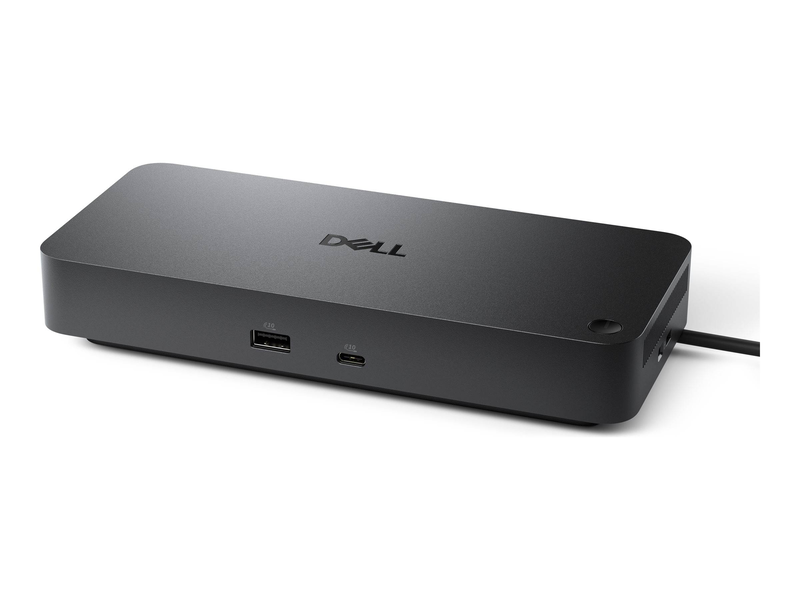
Dell pro dock wd25z USB-c docking station up to quad 4k HDMI 2.1 dual displayport 1.4 USB-c 2.5GBe 130w pd black

€301.68
or
Pay in 3, 6 or 9 interest-free monthly installments and 0 service fees with Fleksy image
Select Color: Black
In stock
[{"value":"1","url":"/on/demandware.store/Sites-Jinius-Site/en_GB/Product-OfferAvailability?p11Quantity=242&pid=9560880&productId=e24d4369-ac25-4dee-9a03-14062c7077c3&quantity=1"},{"value":"2","url":"/on/demandware.store/Sites-Jinius-Site/en_GB/Product-OfferAvailability?p11Quantity=242&pid=9560880&productId=e24d4369-ac25-4dee-9a03-14062c7077c3&quantity=2"},{"value":"3","url":"/on/demandware.store/Sites-Jinius-Site/en_GB/Product-OfferAvailability?p11Quantity=242&pid=9560880&productId=e24d4369-ac25-4dee-9a03-14062c7077c3&quantity=3"},{"value":"4","url":"/on/demandware.store/Sites-Jinius-Site/en_GB/Product-OfferAvailability?p11Quantity=242&pid=9560880&productId=e24d4369-ac25-4dee-9a03-14062c7077c3&quantity=4"},{"value":"5","url":"/on/demandware.store/Sites-Jinius-Site/en_GB/Product-OfferAvailability?p11Quantity=242&pid=9560880&productId=e24d4369-ac25-4dee-9a03-14062c7077c3&quantity=5"},{"value":"6","url":"/on/demandware.store/Sites-Jinius-Site/en_GB/Product-OfferAvailability?p11Quantity=242&pid=9560880&productId=e24d4369-ac25-4dee-9a03-14062c7077c3&quantity=6"},{"value":"7","url":"/on/demandware.store/Sites-Jinius-Site/en_GB/Product-OfferAvailability?p11Quantity=242&pid=9560880&productId=e24d4369-ac25-4dee-9a03-14062c7077c3&quantity=7"},{"value":"8","url":"/on/demandware.store/Sites-Jinius-Site/en_GB/Product-OfferAvailability?p11Quantity=242&pid=9560880&productId=e24d4369-ac25-4dee-9a03-14062c7077c3&quantity=8"},{"value":"9","url":"/on/demandware.store/Sites-Jinius-Site/en_GB/Product-OfferAvailability?p11Quantity=242&pid=9560880&productId=e24d4369-ac25-4dee-9a03-14062c7077c3&quantity=9"},{"value":"10","url":"/on/demandware.store/Sites-Jinius-Site/en_GB/Product-OfferAvailability?p11Quantity=242&pid=9560880&productId=e24d4369-ac25-4dee-9a03-14062c7077c3&quantity=10"}]
+
[{"value":"1","url":"/on/demandware.store/Sites-Jinius-Site/en_GB/Product-OfferAvailability?p11Quantity=242&pid=9560880&productId=e24d4369-ac25-4dee-9a03-14062c7077c3&quantity=1"},{"value":"2","url":"/on/demandware.store/Sites-Jinius-Site/en_GB/Product-OfferAvailability?p11Quantity=242&pid=9560880&productId=e24d4369-ac25-4dee-9a03-14062c7077c3&quantity=2"},{"value":"3","url":"/on/demandware.store/Sites-Jinius-Site/en_GB/Product-OfferAvailability?p11Quantity=242&pid=9560880&productId=e24d4369-ac25-4dee-9a03-14062c7077c3&quantity=3"},{"value":"4","url":"/on/demandware.store/Sites-Jinius-Site/en_GB/Product-OfferAvailability?p11Quantity=242&pid=9560880&productId=e24d4369-ac25-4dee-9a03-14062c7077c3&quantity=4"},{"value":"5","url":"/on/demandware.store/Sites-Jinius-Site/en_GB/Product-OfferAvailability?p11Quantity=242&pid=9560880&productId=e24d4369-ac25-4dee-9a03-14062c7077c3&quantity=5"},{"value":"6","url":"/on/demandware.store/Sites-Jinius-Site/en_GB/Product-OfferAvailability?p11Quantity=242&pid=9560880&productId=e24d4369-ac25-4dee-9a03-14062c7077c3&quantity=6"},{"value":"7","url":"/on/demandware.store/Sites-Jinius-Site/en_GB/Product-OfferAvailability?p11Quantity=242&pid=9560880&productId=e24d4369-ac25-4dee-9a03-14062c7077c3&quantity=7"},{"value":"8","url":"/on/demandware.store/Sites-Jinius-Site/en_GB/Product-OfferAvailability?p11Quantity=242&pid=9560880&productId=e24d4369-ac25-4dee-9a03-14062c7077c3&quantity=8"},{"value":"9","url":"/on/demandware.store/Sites-Jinius-Site/en_GB/Product-OfferAvailability?p11Quantity=242&pid=9560880&productId=e24d4369-ac25-4dee-9a03-14062c7077c3&quantity=9"},{"value":"10","url":"/on/demandware.store/Sites-Jinius-Site/en_GB/Product-OfferAvailability?p11Quantity=242&pid=9560880&productId=e24d4369-ac25-4dee-9a03-14062c7077c3&quantity=10"}]
+
602
Points earned
You can earn Antamivi points every time you make a payment using your Bank of Cyprus cards.
The number of Antamivi points and the corresponding amount of money displayed are indicative and may vary from time to time. Want to know more? Check out our FAQs here.
If you are an eligible member of the Bank of Cyprus loyalty scheme Pronomia, you will receive additional Antamivi points based on your assigned tier.
Delivery options
Pick-up points / Lockers
Est. delivery: 03 Aug - 04 Aug
Free
Delivery to your door
FREE shipping on orders over €85.00 from Singular Computers Systems LTD
Est. delivery: 03 Aug - 05 Aug
Free

Description

Item No. e24d4369-ac25-4dee-9a03-14062c7077c3
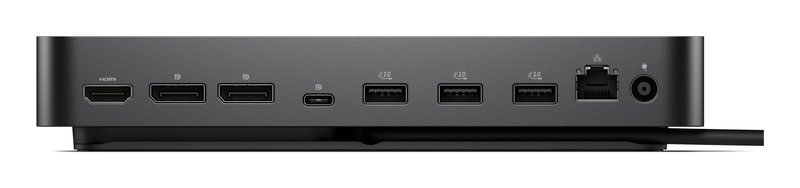
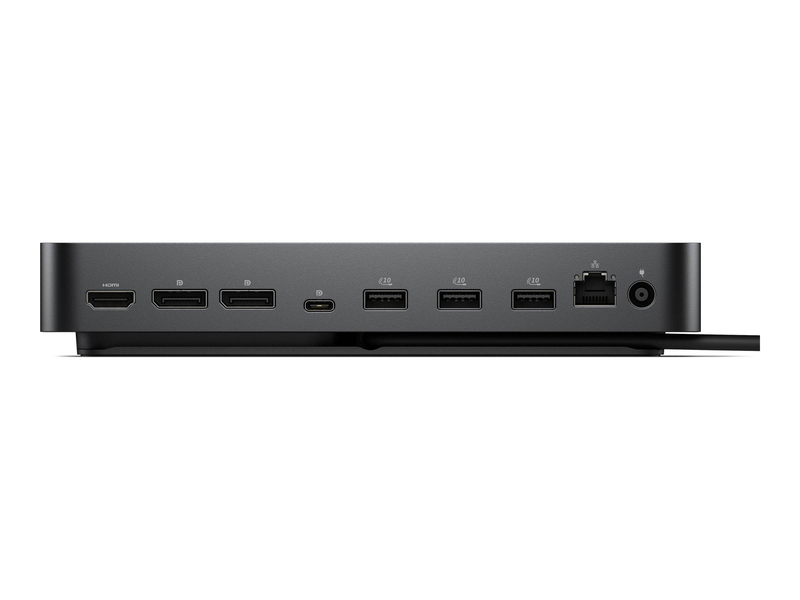
Dell Pro Dock WD25Z USB-C Docking Station A high-power USB-C dock that drives up to four displays through HDMI 2.1, dual DisplayPort 1.4 and USB-C, with 2.5GBE networking and up to 130W charging over a single cable. USB-CUp to Quad 4KUp to 130W2.5GBE LAN The Dell Pro Dock WD25Z (part number DELL-WD25Z) is a USB-C docking station that expands a single cable into a full multi-display workstation, supporting up to four external monitors via HDMI 2.1, two DisplayPort 1.4 and a USB-C DisplayPort out

Details

Dell Pro Dock WD25Z USB-C Docking Station

A high-power USB-C dock that drives up to four displays through HDMI 2.1, dual DisplayPort 1.4 and USB-C, with 2.5GBE networking and up to 130W charging over a single cable.
USB-CUp to Quad 4KUp to 130W2.5GBE LAN

The Dell Pro Dock WD25Z (part number DELL-WD25Z) is a USB-C docking station that expands a single cable into a full multi-display workstation, supporting up to four external monitors via HDMI 2.1, two DisplayPort 1.4 and a USB-C DisplayPort ouTPUt. It adds 2.5 Gigabit Ethernet, a Generous set of USB 3.2 Gen 2 ports and up to 130W of laptop charging, and is aimed at Dell Latitude, Precision and XPS users who want a powerful, tidy desk. Typically in stock with fast delivery across Cyprus.

Compatibility note
The dock connects to Thunderbolt and USB-C laptops that support DisplayPort Alt Mode. The full 130W of charging applies to compatible Dell laptops; non-Dell USB-C laptops typically receive up to around 90W. Multi-display ouTPUt uses DisplayPort Alt Mode with MST, so the maximum number of simultaneous screens depends on your laptop’s GPU and, on macOS, is limited by the lack of MST support. Best results are with recent Dell business laptops.

Best For

Dell Latitude, Precision and XPS laptops
Multi-monitor workstations (up to four displays)
Single-cable docking with up to 130W charging
Offices needing fast 2.5GBE networking
Mixing HDMI 2.1, DisplayPort and USB-C monitors
Consolidating USB 3.2 Gen 2 peripherals

Key Features

 
Up to four displays
HDMI 2.1, two DisplayPort 1.4 and a USB-C DisplayPort ouTPUt let you build a multi-monitor setup with up to four external screens for maximum productivity.
 
Up to 130W charging
Delivers up to 130W of power to compatible Dell laptops from its 180W adapter, keeping even Precision mobile workstations charged while docked.
 
2.5GBE & fast USB
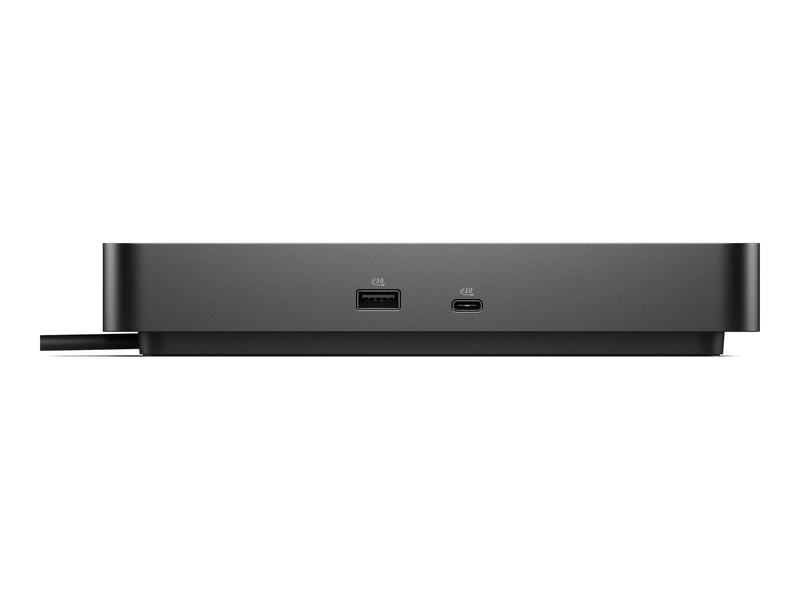
A 2.5 Gigabit Ethernet port plus four USB-A 3.2 Gen 2 and two USB-C 3.2 Gen 2 ports deliver fast wired networking and rapid data transfer.
 
Clean single-cable setup
One USB-C connection carries video, data, networking and power, so you dock and undock your laptop in seconds with a tidy desk.

Technical Specifications

Identification
Part Number DELL-WD25Z
EAN / GTIN 5397321029045
MPN WD25Z
Brand Dell
Connection & Video
Host interface USB-C (Thunderbolt / USB-C with DisplayPort Alt Mode)
Video ouTPUts 1x HDMI 2.1 + 2x DisplayPort 1.4 + 1x USB-C (DP 1.4 Alt Mode)
Max displays Up to 4 external displays
Ports
USB-A 4x USB-A 3.2 Gen 2 (10GBps)
USB-C 1x USB-C 3.2 Gen 2 (data) + 1x USB-C 3.2 Gen 2 (DP 1.4 Alt Mode)
Networking 1x RJ-45 — 2.5 Gigabit Ethernet (10/100/1000/2500)
Audio Supported via USB / display
Power
Power delivery Up to 130W to Dell laptops (180W external adapter)
Non-Dell charging Up to approx. 90W on compatible non-Dell USB-C laptops
Support
Compatibility Windows, macOS (display count limited on macOS)
Warranty 1-Year Warranty (Singular)

Frequently Asked Questions

Does the Dell WD25Z work with non-Dell laptops?
Yes, with any laptop that has a Thunderbolt or USB-C port supporting DisplayPort Alt Mode. Full 130W charging is reserved for compatible Dell laptops; non-Dell machines typically charge at up to around 90W.
How many monitors can it drive?
Up to four external displays using its HDMI 2.1, two DisplayPort 1.4 and USB-C ouTPUts. The exact number of simultaneous screens depends on your laptop’s graphics, and on macOS is limited by the lack of MST support.
What is the difference between the WD25Z and WD25?
The WD25Z delivers higher power — up to 130W to Dell laptops — while the standard WD25 tops out at 100W. Both support up to four displays and share the same port layout.
Will it charge my Dell laptop fully?
Yes. With its 180W adapter it supplies up to 130W to compatible Dell laptops, enough for Latitude, XPS and many Precision mobile workstations while docked.

Singular Expert Insight

Why choose the WD25Z
For a Dell laptop fleet, the WD25Z is the natural docking choice: seamless BIOS/firmware integration, up to four displays and 130W charging for even Precision workstations. Pair it with monitors from our PC monitors range, and compare it with other docking stations if you run a mixed or non-Dell fleet. If you only need 100W and the same displays, the standard WD25 is more economical.

Buyer’s Guide

Buy it if
You use a Dell business laptop and want up to four displays, 2.5GBE and up to 130W charging from one cable.
Skip it if
You need full multi-monitor extension on a MacBook, or only 100W is enough — the WD25 costs less.
Also consider
The Dell WD25 for 100W setups, or a DisplayLink dock for universal multi-display on Mac and Windows.