Singular Selected
Samsung Essential S4 (S40GD) — 27" IPS 100Hz Professional Ergonomic Monitor
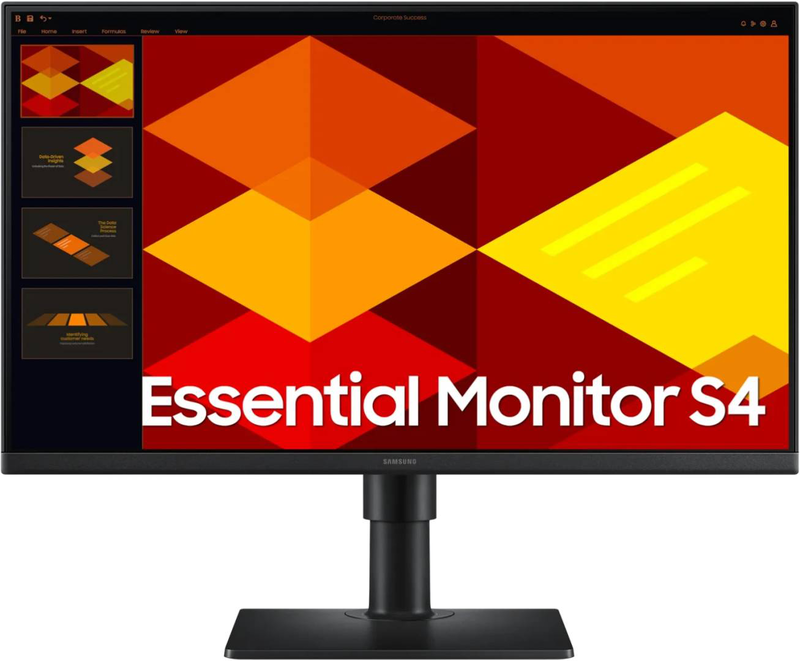
Samsung's 27-inch IPS Full HD professional monitor with 100Hz refresh, full ergonomic stand (tilt + swivel + pivot + height), built-in USB 2.0 hub, dual HDMI + DisplayPort inputs and Eye Saver Mode — purpose-built for serious office workstations.
Full Ergonomic Stand100Hz IPSUSB Hub + 3 Video Inputs3-Year Warranty
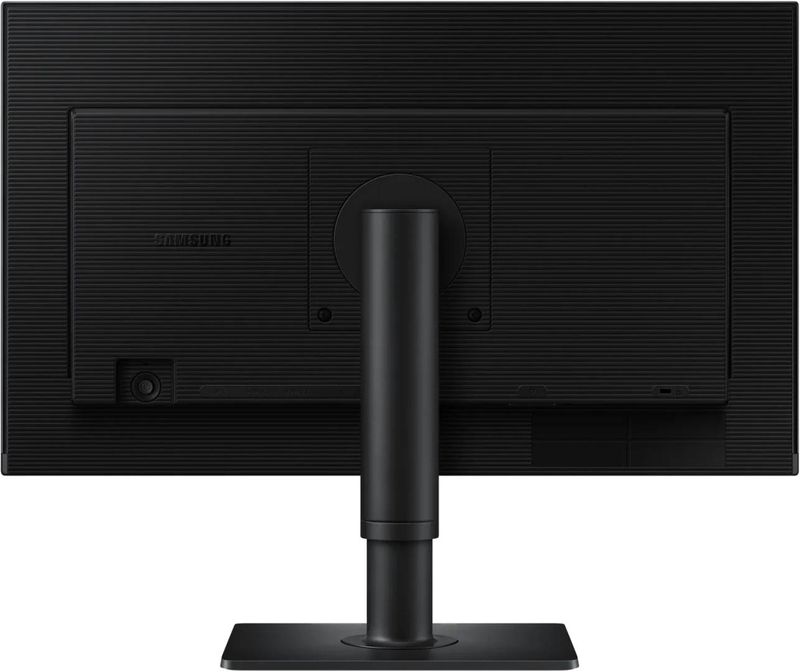
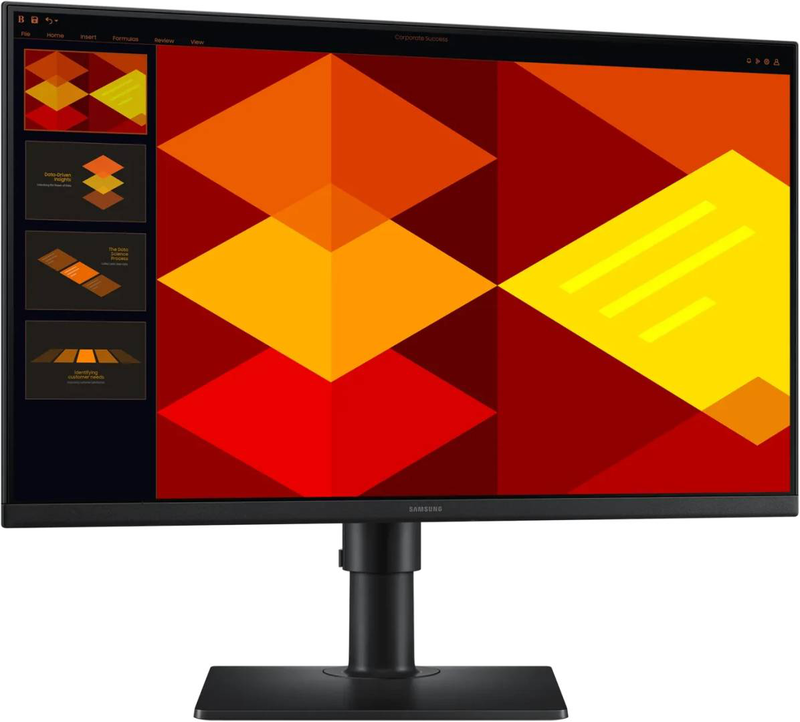
The Samsung Essential S4 (S40GD, model LS27D400GAUXEN / S27D400GAU) is a 27-inch IPS Full HD professional monitor designed for office workstations and home offices that need ergonomic flexibility, multi-input connectivity and a built-in USB hub. The flat IPS panel delivers 178°/178° viewing angles with consistent colour from any seating position, 250 cd/m² brightness and 1000:1 typical contrast (with Mega Dynamic Contrast). A 100Hz refresh rate combined with 5ms grey-to-grey response is smoother than a standard 60Hz monitor for everyday use. The differentiators are the full ergonomic stand (tilt, swivel, 90° pivot and height adjustment), a built-in USB 2.0 hub for peripherals, two HDMI inputs plus DisplayPort, Game Mode, and Samsung's 3-year warranty. Eye Saver Mode and Flicker-Free technology reduce strain during long sessions. Manufactured with 16.3% recycled plastic.
No Speakers Note: This 27" S40GD does not have built-in speakers — audio routes through your PC, external speakers, or headphones via the 3.5mm jack.
Best For
✓ Corporate offices & workstations
✓ Home office & remote work
✓ Multi-monitor business setups
✓ Coding & vertical pivot use
✓ PC + dock + laptop dual-source
✓ Long ergonomic desk sessions
Key Features
Full Ergonomic Stand
Tilt, swivel, 90° pivot and height adjustment — well above typical tilt-only stands at this 27" Full HD price tier. Rotate to portrait for document and code review, dial in posture for long sessions.
IPS Panel + 100Hz
In-Plane Switching delivers consistent colour and 178°/178° viewing angles — ideal for shared screens and video calls. 100Hz refresh adds visible smoothness over standard 60Hz panels.
USB Hub + 3 Video Inputs
Built-in USB 2.0 hub handles peripherals like keyboards, mice and USB sticks. Two HDMI inputs plus DisplayPort let you connect a PC and a second source (dock, laptop, console) without swapping cables.
Eye Saver Mode + Flicker-Free
Eye Saver Mode reduces blue light emission to ease strain, and a flicker-free backlight removes flicker for comfortable long sessions. Game Mode tunes the picture for action titles.
Technical Specifications
| Part Number |
LS27D400GAUXEN |
| EAN |
8806095803050 |
| Brand |
Samsung |
| Series |
Essential S4 (S40GD) — model S27D400GAU |
| Panel Size |
27" (68.6 cm) |
| Panel Technology |
IPS with LED backlight, flat |
| Native Resolution |
Full HD 1920 × 1080 |
| Refresh Rate |
100Hz (max) |
| Response Time |
5ms (GtG) |
| Brightness |
250 cd/m² (typical) |
| Static Contrast |
1000:1 typical · Mega Dynamic Contrast |
| Aspect Ratio |
16:9 |
| Viewing Angle |
178° / 178° |
| Display Colours |
16.7 million |
| Display Inputs |
2× HDMI · 1× DisplayPort |
| USB Hub |
USB 2.0 hub for peripherals |
| Built-in Speakers |
No — no built-in speakers |
| Audio Out |
3.5 mm headphone jack |
| Picture Modes |
Game Mode |
| Eye Care |
Eye Saver Mode · Flicker-Free |
| Stand Adjustments |
Tilt · Swivel · Pivot 90° · Height |
| VESA Mount |
Yes — VESA compatible |
| Design |
Super slim with ultra-thin bezels |
| Sustainability |
16.3% recycled plastic |
| Power Consumption |
~14 kWh/1000h (Energy Saver Mode) |
| Colour |
Black |
| Warranty |
3 years (Samsung) |
| In the Box |
Monitor with ergonomic stand · Power cable · HDMI cable · Quick start guide |
| Condition |
New |
Frequently Asked Questions
Is this monitor height-adjustable?
Yes — full ergonomic stand with tilt, swivel, 90° pivot and height adjustment. You can rotate the panel to portrait for document and code review, and dial in posture for long sessions.
Does it have built-in speakers?
No — the 27" S40GD does not have built-in speakers. It has a 3.5mm headphone-out jack for routing audio from HDMI/DisplayPort to headphones or external speakers.
What is the difference between this LS27D400GAUXEN and LS27D402GAUXEN?
Both are Samsung Essential S4 (S40GD) 27" variants with the same core panel (IPS, 100Hz, 5ms, FHD), same connectivity (2× HDMI + DP + USB hub) and same full ergonomic stand. They are region/distribution-channel variants — for practical purposes interchangeable. Pick whichever is available.
How many sources can I connect at once?
Three — two HDMI inputs plus one DisplayPort. Useful for setups where you want a desktop PC, a docked laptop and a third source (console, second laptop) connected without swapping cables. Switch sources from the OSD.
Singular Expert Insight
Pick the 27" S40GD if you want serious office ergonomics (pivot + height + USB hub + 3 inputs) at a 27" Full HD price — strong value for procurement at scale. This LS27D400GAUXEN is the equivalent of the LS27D402GAUXEN — same panel, connectivity and stand, different region/channel SKU. No built-in speakers on either; if you need on-board sound, the 24" S40GD (LS24D406GAUXEN) does. For sharper text at 27", a 27" QHD IPS monitor will look noticeably crisper — at 27" the FHD-to-QHD upgrade is much more dramatic than at 24".
Buyer's Guide
Buy it if
You want a 27" IPS office monitor with full ergonomic stand (pivot + height), USB hub, dual HDMI + DisplayPort, and Samsung 3-year warranty for serious workstation deployment.
Skip it if
You need built-in speakers (this model has none — 24" S40GD does), USB-C single-cable docking, QHD/4K sharpness, HDR or 144Hz+ gaming performance.
Also consider
Samsung S40GD 24" if you want speakers, 27" QHD IPS for sharper text, or Samsung S5/S6 USB-C dock models for laptop single-cable workstations.